


DCM700 Upload NIT&TDT&TOT Configure
NIT Insert:
1. upload the two NIT file to the DCM700(Mux setting--->Manual PSI Inserter)

2.Set right Output TS Index,Bitrate set 30
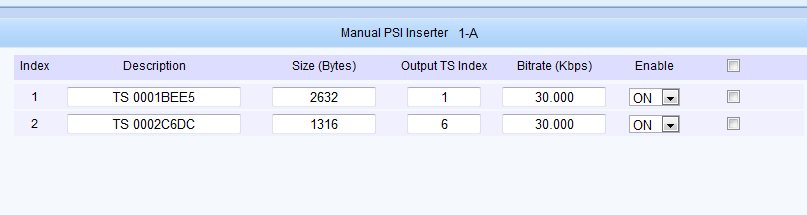
3.Manual PID Map,NIT PID is 0x10(16),Input PID and Output PID need same

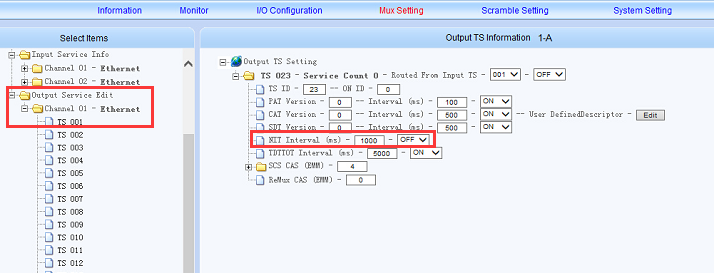
4.Click Mux Setting--->Nit Edit,set OFF

5.Output TS,the NIT, set OFF
TOT&TDT Configure:
Output TS,Mux Setting---Output Server Edit---TDT/TOT---ON

Mux Setting---General Setting---TOT Enable---ON

Get right UTC time from browser

More details contact sales:
John Pan
Sales Manager
DIBSYS Technologies Co., Ltd
--------------------------------------------------------------------------------
Web: www.dibvision.com
Tel: +86-571-87068982 Fax: +86-571-89714580
Mobile: +86 13957196036 What's App: +86 13957196036 Skype: dibdvb